cr7vip — your Game Start.
cr7vip Quick Login - Secure Mobile Casino App Access
Convenient access and verified security sit in tension: the faster your login completes, the more carefully we must guard your session. On cr7vip, Quick Login balances both—account entry happens in seconds on Android via APK or iOS via mobile browser, while encrypted channels and one-time verification codes protect your deposits and personal data. This guide explains how the login flow works, what happens behind the scenes, and how to manage your account safely on mobile.
Open an account
Quick Login
- Brand
- Category
- Live Table / Card
- RTP
- medium
Quick Login on cr7vip involves email and password entry, followed by a one-time PIN (OTP) sent to your registered phone number. The OTP step is non-negotiable; it prevents unauthorized access even if someone discovers your password. After verification, your session persists across app closures and network disconnects—you can pick up a Liga 1 match bet or a live-casino hand exactly where you left it.
Login Methods and Session Security
cr7vip supports two primary login methods: email-password (the standard) and biometric unlock on devices that support fingerprint or face recognition. Email-password login works everywhere; biometric unlock is optional and available after your initial login. Both routes funnel through OTP verification before your session becomes active, ensuring that even if your device is stolen, a thief cannot access your account without your phone number.
Session cookies are encrypted and tied to your device. Logging out clears local credentials but doesn't affect deposits or account balance—your funds remain secure on cr7vip servers. If you forget to log out at an internet cafe or public phone, simply initiate a password reset from any device, which invalidates all active sessions and forces re-login everywhere. This reset mechanism reaches your registered email within seconds.

The OTP step feels like an extra tap, but it's the difference between a compromised password and a protected account—one factor you control (something you know), one you don't (your phone).
Device recognition is optional but recommended. On first login from a new device, you can choose to "Trust this device for 30 days," which skips OTP entry on subsequent logins from that same device. This reduces friction if you're playing slots on your personal phone daily. Untrusting a device requires a re-login and OTP entry; you can manage trusted devices through your account settings at any time.
- One-time PIN (OTP)
- A six-digit code sent to your registered mobile number; valid for subject to verification. Prevents unauthorized login even if your password is compromised.
- Session timeout
- Automatic logout after subject to verification of inactivity on public WiFi, 2 hours on private networks. Adjustable in account security settings.
- Device trust
- Optional 30-day trust marker that skips OTP on repeat logins from the same device; you can revoke trust at any time.
Mobile Login Step-by-Step and Account Access
On Android, launch the cr7vip APK from your home screen or app drawer. The app opens to the login screen. Enter your email address registered with cr7vip, then your password. Both fields auto-correct capitalization; email is case-insensitive. Tap "Log In". Within 2–3 seconds, your registered phone receives an SMS with a six-digit OTP. Enter this code in the on-screen prompt. Once correct, your home screen loads—you see your current balance, upcoming Liga 1 fixtures, live casino tables, and slot games in one unified view.
On iOS, open Safari (or any browser) and navigate to cr7vip.app. The responsive design scales to your screen size; the login form behaves identically to the Android app. Email, password, OTP entry flow the same way. Bookmark the page to your home screen for faster access next time—tapping the bookmark launches the browser to the login screen or, if already logged in, directly to your account home. Data usage for login and balance display is under 500 KB; you can safely log in over cellular data or WiFi.
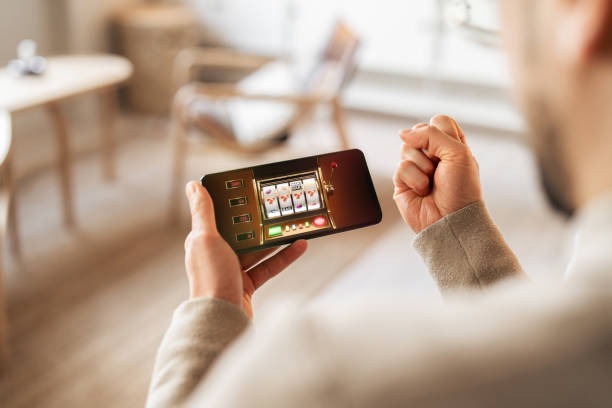
Account access after login depends on your verification status. If you've completed KYC verification (submitted identity card and proof of residence), full access opens immediately—you can deposit via DANA, e-wallet, mobile banking, local payment, online payment, or direct bank transfer to e-wallet, mobile banking, local payment, or online payment, and place bets across sportsbook, live casino, slots, and esports. If KYC is pending, you can still browse fixtures and view odds, but deposit and bet initiation are blocked. Check your account settings > Verification to see which documents are outstanding and resubmit if needed.
Push notifications enhance session continuity. After login, the app requests permission to send notifications (a one-time prompt). Enabling notifications alerts you to match starts, live-casino table openings, bet settlements, and withdrawal confirmations. If you lose connection mid-session—say, a Liga 1 match you're watching switches from 4G to WiFi—a reconnection happens silently; your balance and open bets sync automatically when the connection restores. You remain logged in and can resume play without re-entering credentials.
Key takeaways
- Login requires email, password, and one-time PIN verification via SMS—a two-factor flow that prevents unauthorized access.
- Android APK and iOS browser both support login; session persists across devices and survives network interruptions.
- Optional device trust skips OTP entry on trusted phones for 30 days; you can revoke trust anytime.
- KYC verification status determines deposit and betting eligibility; pending documents block fund transfers.
- Push notifications keep you informed of match updates, settlements, and withdrawals without constant app checking.
Tips and Notes for Account Access

user First and, Main Info.
cr7vip-in We in — Info before, Promotion after —.
Password strength is your first line of defence. Use a mix of uppercase, lowercase, numbers, and symbols—at least 12 characters total. Never reuse passwords from other banking or email accounts. If you've used your cr7vip password elsewhere and that service was breached, immediately change your cr7vip password through the account menu. Our system tracks failed login attempts; after 5 consecutive failures, your account locks for subject to verification to prevent brute-force attacks.
OTP security matters. Never share your one-time PIN with anyone, including cr7vip support staff. Support requests are handled via in-app chat or email; legitimate support never asks for your OTP. If you don't receive an OTP within 30 seconds, tap "Resend Code" and ensure your phone number in account settings matches your registered mobile. If you've changed phone numbers, update your account immediately—without the correct number, you'll be locked out of login.
Session timeout protects you if you forget to log out. On public WiFi, timeout occurs after subject to verification of inactivity; on home networks, 2 hours. You can customize these windows in account settings > Session Management. If you want immediate logout—say, before handing your phone to family during Idul Fitri or Imlek—tap "Log Out" in the account menu.
Password recovery is straightforward. On the login screen, tap "Forgot password?" and enter your registered email. A password-reset link arrives within subject to verification. Click the link, set a new password, and your session resets everywhere—you'll need to log in again from all devices. Keep your email account secure; if someone accesses your registered email, they can reset your cr7vip password. Enable email account recovery options (like a backup phone number or security questions) at your email provider.
Account Security
Password reset and device trust settings.
EssentialKYC Verification
Document submission and account approval.
GuidePayment Methods
DANA, e-wallet, mobile banking, local payment, online payment, bank transfer.
PopularCustomer Support
In-app chat, email, and help resources.
NewSportsbook
Football, Liga 1, badminton, MotoGP.
LiveAccount recovery after a lost or stolen phone is manageable. Contact our support team via email with proof of identity; we'll verify your account details and help you reset your phone number and password. Once reset, log in from a new device using your updated credentials. Check your account activity log (account menu > Transaction History) to review all login sessions and spots suspicious activity. If you see unauthorized logins, change your password immediately and contact support—our team can revoke all active sessions and lock your account pending verification.
Quick Login succeeds because simplicity and security reinforce each other—fewer fields to enter means less time your data spends in flight, and OTP adds a layer that can't be bypassed by password knowledge alone. The flow reflects years of feedback from players across Bandung, Medan, and beyond.